Icon of program: Nero MediaHome

Nero MediaHome for Windows

  • Paid
  • 3.2
    2269
  • 1.6M
  • V202022.0.00400
Download for Windows

View an ad to download for free

A universal media center for homes

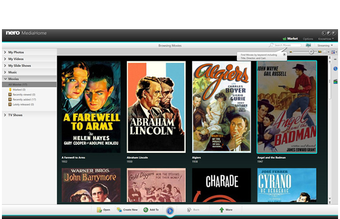
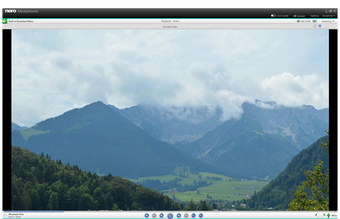
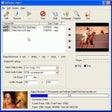
Nero MediaHome is an all-in-one media management program for photos, videos, and music. Users can conveniently playback audio files from their library, import music from CDs, and create playlists. These features will be synced into their devices, either wirelessly or via USB. This multimedia app can also work as a media server to give users complete access from anywhere in their home. The server’s media library links to DLNA-enabled TVs as well as mirror media onto these devices. This includes slideshows that can be transcoded on the spot, making it perfect for users who want to transform memories into shareable keepsakes. 

Unlock your creativity with Adobe Stock

Get 10 images or 1 video with a free trial

Easily manage content across all platforms

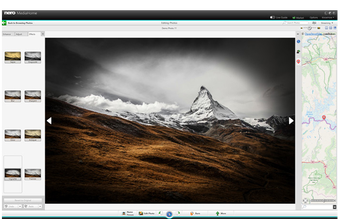
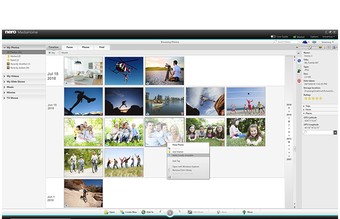
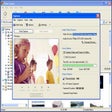
Nero MediaHome effectively and efficiently organizes multimedia files from your PC., especially when it comes to photos. Users can group photos manually or use the smart album feature, the latter allowing you to use the software's advanced functions to organize your files, including face detection, and keywords to categorize your photos. Users can also use their multimedia files to create calendars. This feature can be enhanced using the built-in photo editor. It offers basic tools like filters and red-eye removal.

Of course, Nero wants users to share their home videos, family photos, and other media on any device. This program makes it possible to share content between devices. Whether it's your TV or your games console, your mobile or your tablet, all devices connected to your server can have access to the network, making it ideal for binge-watching movies or series, listening to music, or just displaying photographs and movies for intimate gatherings.

Smooth and seamless interface

Nero takes a simple and modern approach to design and comes with a straightforward guide for first-time users. Once it’s launched for the first time, it automatically loads multimedia files on the PC as welcome function so users won’t need to manually specify files’ location. As long as the device is connected to the internet, whether through WiFi or LAN,  users can enjoy its online features like automatic updates, direct access to the Nero store, and customization options. 

Effective multimedia suite

Nero MediaHome is perfect for users that already have several media devices that they want to connect. It’s incredibly easy to use and offers a simple instruction manual for users to share videos, music, and photos between all their devices. Users may not utilize its library and multimedia editing functions, but it’s still a useful tool for family gatherings, house parties, or just day-to-day entertainment. 

  • Pros

    • Automatically finds media files on your computer
    • Compatible with a large number of connected devices
    • Easy to configure
    • Attractive interface
  • Cons

    • Multimedia editing features are fairly basic
 0/4

App specs

  • Developer

  • License

    Full

  • Version

    202022.0.00400
  • Latest update

  • Platform

    Windows

  • OS

    Windows 8

  • Language

    English

    Available languages

    • Czech
    • Danish
    • German
    • English
    • Spanish
    • Finnish
    • French
    • Italian
    • Japanese
    • Korean
    • Dutch
    • Norwegian
    • Polish
    • Portuguese
    • Russian
    • Swedish
    • Turkish
    • Chinese
  • Downloads

    1.6M

    Last month's downloads

    • 21
  • Size

    2.56 MB

Program available in other languages


Icon of program: Nero MediaHome

Nero MediaHome for PC

  • Paid
  • 3.2
    2269
  • 1.6M
  • V202022.0.00400
Download for PC

View an ad to download for free


User reviews about Nero MediaHome

3.2

8 reviews

Add review

Main reviews for you

  • Anonymous user

    Same reaction as above reviewer.. Same reaction as above reviewer. Will try newer release.From the LG DVD player I can connect across the network to the file system and play easily; Nero never worked (Server says it's running). Same from a tablet - Waiting for connection forever.

  • Anonymous user

    Great Software. Works great streaming my video from the computer to playstation 3 or my tv and it's really simple to use. Although it does have times when it crashes unexpectedly.

  • Anonymous user

    Infuriating software. Slow on new PC. Controls not user friendly.. Infuriating software. It takes forever to load on a new high-spec fast PC. Every time I close the program on the PC I have to manually re-index my music for the music to appear on the LG TV. The LG network share app is beyond infuriating. You can't even skip a song. You'll get "error, function not available" and have to stop the song you're playing to be able to skip through to another song. No playlist options for music. Infuriating software, pointless to use unless you're very desperate. I've set up tons of home media networks, corporate server farms, etc. and this Nero software is the most maddening of all... except, perhaps, Windows 95. Yuck! Pros: free Cons: user friendly interfacespeed

  • Anonymous user

    What a waste of download time. Never spent so much time on a useless download and never been so unhappy with the result. NERO Kwik Media is a lot of crap.PS-I'm a big Nero Supporter.


  • Anonymous user

    Pointless. Everything I want to burn requires an upgrade to their paid program. Only lets you burn data (not music or video) without upgrade. Very limited and frustrating. Very very limited program.

  • Anonymous user

    Nero Kwik Media. Kwik Media. Very poor support on its use. Trying to make a CD, nothing works. Zero help from Kwik.

More

You may also like

Alternatives to Nero MediaHome

Explore Apps

Latest articles

Laws concerning the use of this software vary from country to country. We do not encourage or condone the use of this program if it is in violation of these laws.
Softonic

Is Nero MediaHome safe?

100/100

Score result: Clean

This file passed a comprehensive security scan using VirusTotal technology. It is safe to download.

  • Virus free
  • Spyware free
  • Malware free
  • Verified by Security Partners

    VirusTotal logo

Scan Info

Last scan
Friday, July 31, 2026
Scan provider
VirusTotal

Softonic security commitment

Nero MediaHome has been thoroughly scanned by our advanced security systems and verified by industry-leading partners. This file comes from the official developer and has passed all our security checks, showing no signs of viruses, malware, or spyware. For more information, visit our Security and Trust Center

Signed in to Softonic as